Building a Pattern Designer: When Icons Need Space to Breathe
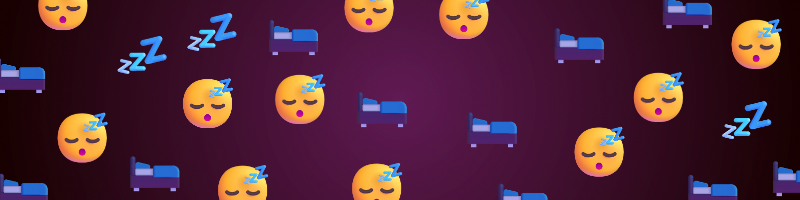
I wanted a toy. Something that could take icons—emojis, images, whatever—and scatter them across a canvas in a way that looked organic. Not a rigid grid, not chaotic randomness. Something in between.
The result: nataliewalls.com/pattern-designer
The Problem with Random Placement
First attempt was naive: pick random x/y coordinates, drop an icon there. Repeat.
It looked terrible. Icons stacked on top of each other. Some areas were dense, others empty. The human eye is very good at noticing clustering, and random point generation creates it naturally.
What I needed was evenly distributed randomness. Icons should be scattered organically, but never overlap. Each one needs space to breathe.
Enter Poisson disk sampling.
Poisson Disk Sampling
The algorithm generates points where each point is at least a minimum distance from all others. It's the same technique used in procedural generation for placing trees in video games or stippling in digital art.
Here's the simplified version:
- Start with one random point
- Try to generate new points around it (within an annulus)
- Only accept points that maintain minimum distance from all existing points
- Repeat until you can't place any more points
The trick is using a spatial grid for fast lookups. Instead of checking distance against every existing point (O(n²)), you only check nearby grid cells (O(1) average case).
export function poissonDiskSampling(
  width: number,
  height: number,
  minDistance: number,
  maxAttempts: number = 30
): Point[] {
  const cellSize = minDistance / Math.sqrt(2);
  const gridWidth = Math.ceil(width / cellSize);
  const gridHeight = Math.ceil(height / cellSize);

  const grid: Array<Point | null> = new Array(gridWidth * gridHeight).fill(null);
  const points: Point[] = [];
  const activeList: Point[] = [];

  // ... implementation details
}
The result? Icons that look hand-placed, but are actually algorithmically positioned to never overlap.
The Spacing Problem
Early feedback: "Way too many icons. Even on low settings."
The issue was my "density" slider. I thought "icons per 1000px²" made sense. It did not.
What users actually wanted was control over spacing between icons. Lower spacing = more icons. Higher spacing = fewer icons.
The fix:
// Old: confusing density calculation
const targetIcons = Math.floor(area * config.density);

// New: spacing-based minDistance
const baseIconSize = 50;
const minDistance = baseIconSize * spacing * 0.8;
Now the slider goes from 0.5x (tight) to 10.0x (very loose), with 0.1 increments for fine control in the sweet spot (1.0x-2.5x).
At spacing=1.5x on an 800×600 canvas, you get about 133 icons—nicely spaced, no overlap.
Auto-Regeneration
Originally, you had to hit "Generate Pattern" every time you changed a setting. Annoying.
Solution: debounced auto-regeneration.
When any config value changes (spacing, dimensions, colors, frequency ratios), a timer starts. If another change happens within 300ms, the timer resets. When the timer expires, the pattern regenerates automatically.
useEffect(() => {
  if (config.icons.length === 0) return;

  if (debounceTimer.current) {
    clearTimeout(debounceTimer.current);
  }

  debounceTimer.current = setTimeout(() => {
    handleGenerate();
  }, 300); // 300ms debounce

  return () => {
    if (debounceTimer.current) {
      clearTimeout(debounceTimer.current);
    }
  };
}, [config.density, config.canvasWidth, config.canvasHeight, /* ... */]);
Now the pattern updates as you drag the spacing slider. Feels responsive without hammering the CPU.
Icon Sources
Three tabs for adding icons:
User Uploads - Drag-and-drop images (PNG, JPEG, SVG, GIF). Basic but functional.
Font Awesome - Placeholder for now. Will integrate properly later.
Emoji - The interesting one. I already had a SurrealDB instance with 3,944 Unicode emojis from the /counters page. Reused that connection. Search by name, browse by group (Smileys, Animals, Food, etc.). Only fully-qualified emojis (no unqualified variants that render inconsistently).
export async function searchEmojis(
  query: string,
  group?: string,
  limit: number = 50
): Promise<EmojiData[]> {
  const sql = `
    SELECT codepoints, emoji_char, description, emoji_group, subgroup
    FROM unicode_emoji_catalog
    WHERE status = 'fully-qualified'
      AND string::lowercase(description) CONTAINS string::lowercase($query)
    LIMIT $limit;
  `;

  const result = await connection.query(sql, { query, limit });
  return result[0] || [];
}
Frequency Ratios
You can add multiple icons and control their relative distribution. Icon A at ratio 3, Icon B at ratio 1 = roughly 75% A, 25% B.
The implementation creates a weighted pool, shuffles it, and assigns one icon per point:
const iconPool: string[] = [];

for (const icon of config.icons) {
  const ratio = config.frequencyRatios[icon.id] || 1;
  const count = Math.round((ratio / totalRatio) * points.length);

  for (let i = 0; i < count; i++) {
    iconPool.push(icon.id);
  }
}

// Shuffle for random distribution
for (let i = iconPool.length - 1; i > 0; i--) {
  const j = Math.floor(Math.random() * (i + 1));
  [iconPool[i], iconPool[j]] = [iconPool[j], iconPool[i]];
}
There's also an "Evenly Distribute" button that resets all ratios to 1:1.
Per-Icon Controls
Each icon can have custom settings:
- Size range (30-60px default, prevents overlap even with variation)
- Rotation range (0-360°, or lock it to 0° for no rotation)
- Opacity range (0.7-1.0 default)
- Color override (optional tint)
These are ranges, not fixed values. Every placed icon gets a random value within the range. Adds visual variety without breaking the spacing.
Export
Three formats:
PNG - Rasterized at canvas dimensions. Good for social media.
JPEG - Smaller file size, 90% quality. Best for photos/backgrounds.
SVG - Vector format. Scales infinitely, huge file if you have 500 icons.
The export uses Canvas API for raster formats:
const canvas = document.createElement('canvas');
const ctx = canvas.getContext('2d');

// Draw background
ctx.fillStyle = config.backgroundColor;
ctx.fillRect(0, 0, canvas.width, canvas.height);

// Draw each icon with transforms
for (const icon of placedIcons) {
  ctx.save();
  ctx.translate(icon.x, icon.y);
  ctx.rotate((icon.rotation * Math.PI) / 180);
  ctx.globalAlpha = icon.opacity;

  // Draw emoji as text
  ctx.font = `${icon.size}px sans-serif`;
  ctx.fillText(icon.emojiChar, 0, 0);

  ctx.restore();
}

canvas.toBlob((blob) => {
  downloadFile(blob, `pattern-${Date.now()}.png`);
}, 'image/png');
SVG export builds an XML string with <text> elements for each icon.
Layout Iterations
Version 1: Controls above canvas. Lots of scrolling.
Version 2: Sidebar with tabs (Icon Browser / Pattern Controls). Better, but canvas still had dimension inputs and export buttons cluttering it.
Version 3: All controls in sidebar. Canvas is just the pattern + zoom controls. Clean.
The final layout: 320px sidebar on left, full remaining width for canvas. Canvas is centered vertically with flex, scales with zoom, no distractions.
Default Experience
The page loads with a sparkling heart (💖) already selected and a pattern auto-generated. No empty state, no tutorial needed. You can immediately:
- Drag the spacing slider → pattern updates
- Change background color → updates
- Add more emojis → updates
- Click "Regenerate" → new random layout, same icons
First-time users see something working instantly. That's important.
Example Patterns
Here are a few patterns created with the tool to show the range of styles possible:
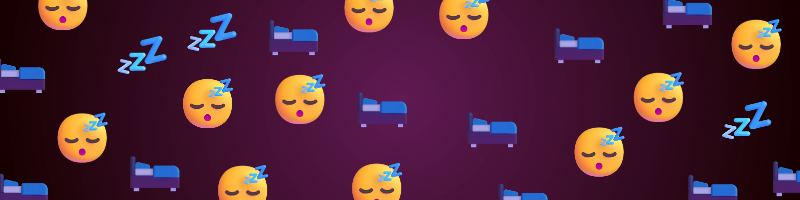
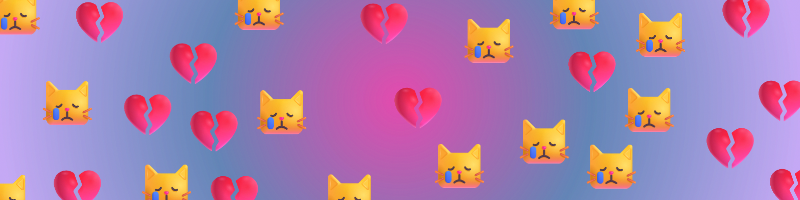
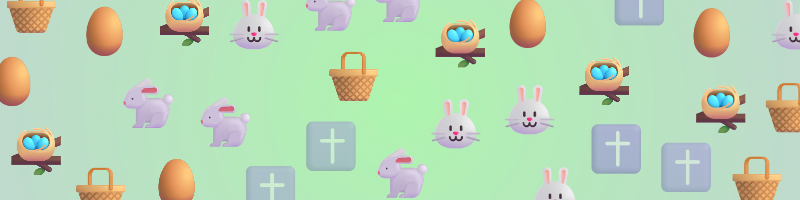
Each pattern uses different emoji combinations, spacing settings, and background colors. The same Poisson disk sampling algorithm ensures icons never overlap, whether you're making something cozy, emotional, or seasonal.
What I Learned
Spatial algorithms are fun. Poisson disk sampling is elegant and produces beautiful results. The implementation is more complex than "just random," but worth it.
UX is iterative. The density slider made sense to me (technically correct!), but confused users. The spacing metaphor clicked immediately. Sometimes you need to throw away the "correct" solution for the one people understand.
Debouncing saves CPU. 300ms is the sweet spot for sliders. Short enough to feel instant, long enough to avoid regenerating 10 times while dragging.
Reuse infrastructure. I already had SurrealDB with emoji data from another feature. Took 10 minutes to add emoji search to this tool. Don't rebuild what you already have.
Default to something. Empty states are intimidating. Loading with a default icon (💖) lets users immediately see what the tool does and start tweaking.
Try It
nataliewalls.com/pattern-designer
Drag the spacing slider, add some emojis, hit export. Make weird patterns. Make beautiful patterns. Make patterns that are objectively terrible but you love anyway.
It's a toy. That's the point.
Built in an afternoon with Next.js, TypeScript, and SurrealDB. All 3,944 emojis from Unicode 17.0.